
Tennessean: News & eNewspaper
USA TODAY Co.News & Magazines
3.0169.00 Reviews
- Version
- 8.10.3
- Installs
- 50.00K
- Age Rating
- Everyone 10+
Screenshots

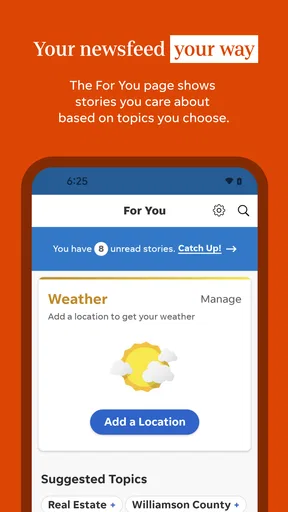




Our Review of Tennessean: News & eNewspaper
 Analysis by Appyee
I used Tennessean: News & eNewspaper as a local news reader rather than treating it like a general headline app, and that distinction matters. It is built around the Tennessean publication, with breaking news, local sports, and access to the eNewspaper in one place. For someone who wants to follow Tennessee stories without constantly switching between a browser, a sports site, and a digital newspaper edition, that focused approach can be convenient. For someone looking for a broad national news dashboard, it feels narrower by design.
The app is free to install, and USA TODAY Co. is the developer behind it. It belongs to the News & Magazines category and carries an Everyone 10+ content rating. I found it most useful when I already knew I wanted local coverage and needed a quick way to check what was happening around the state, especially during a busy morning or while sharing a tablet with other people at home.
How it fits into a shared household routine
A realistic use case is a household where one person follows local government and community news, another checks sports, and someone else prefers reading the newspaper layout. Instead of passing around a printed paper or opening several unrelated services, each person can use the same app for a different reason. One reader might scan the latest headlines before work, while another opens the eNewspaper later on a larger screen.
That shared-device convenience is the strongest reason I would recommend trying it. It gives a household a common place to look when a local story affects everyone, such as a school-related development, a road issue, severe weather coverage, or a major sports result. The app does not need to replace every other news source to be useful; it only needs to make local information easier to reach.
There is also a practical trade-off. A shared app can blur personal reading habits. If several people use the same phone or tablet, the next reader may see the app left on a particular article or section. That is not a deal-breaker, but it means I would treat the app as a shared publication reader rather than assuming every person has a completely separate news space.
On a family tablet, I would keep the app available for communal reading but avoid making it the only source of important information. Local reporting is valuable, yet urgent decisions should still be checked against official announcements when appropriate. The app works well as a convenient news window; it is not a substitute for every public agency, school notice, or emergency channel.
What the initial setup means for different readers
The installation itself is straightforward in concept because the app is free, but the useful setup is really about deciding how the household will use it. I would first open the breaking-news area, local coverage, sports, and eNewspaper sections so each reader understands where their preferred material lives. That small orientation step prevents the common problem of one person thinking the app is only a headline feed while another assumes it is only a digital paper.
It is also worth deciding who should handle any account or purchase decisions. The app lists in-app purchases ranging from $14.99 to $69.99 per item, so a shared device should not be treated as a device where every reader can casually approve a transaction. I would keep purchase responsibility with one adult and make sure other household members know that free installation does not mean every part of the experience is necessarily free.
This is especially important when children or younger teenagers use the same tablet. The age guidance is Everyone 10+, which makes the app broadly suitable for that audience, but an age label is not the same as a family account system. I would still explain what local news can contain, including upsetting events, crime reporting, disasters, or emotionally difficult community stories. The rating gives useful context, but a parent or guardian should decide whether the coverage is appropriate for a particular child.
Another boundary I would establish is notification etiquette. If one person enables alerts and the device is shared, those alerts become everyone’s interruptions. I would use a shared tablet differently from a personal phone: keep it available for deliberate reading and avoid allowing one reader’s preferences to dominate the household’s daily rhythm. If the app presents notification choices during setup, I would choose them carefully rather than accepting every prompt automatically.
Coordinating local news without duplicating effort
The app becomes more valuable when household members divide its purpose instead of repeatedly checking the same screen. One person can use it for local breaking news, another can follow sports, and another can read the eNewspaper when they have time for a fuller session. This simple arrangement makes the app feel less like a single-user feed and more like a shared reference point.
I found that the eNewspaper is best approached as a planned reading session. A quick headline check and a newspaper-style read serve different needs. If I only have a minute, I want the most immediate local developments. If I have a quiet coffee break, I am more likely to explore the digital edition and read beyond the first headline. Keeping those habits separate helps avoid judging the entire app by the speed of its breaking-news view.
For sports-focused readers, the local emphasis can be more useful than a general news app that buries regional coverage under national stories. The limitation is that a specialist sports application or a team-specific source may offer deeper live detail for dedicated fans. I would use Tennessean: News & eNewspaper for the local sports conversation and broader publication context, then turn elsewhere when I need highly specialized game tracking or a comprehensive national sports feed.
A useful household workflow is to share the article itself in conversation rather than assuming everyone has seen the same thing. One reader can mention a story during breakfast, while another opens it later on the shared device. That keeps the app from becoming a passive stream of alerts and turns it into a starting point for informed discussion. It also reduces the temptation to leave notifications enabled for every person.
There is a second coordination issue: not every reader wants the same level of detail. Someone who likes a quick summary may find the eNewspaper format slower, while a reader who values the traditional page arrangement may find a fast headline list too shallow. The app’s combined approach is a strength because it serves both habits, but it requires each person to choose the section that matches the time they actually have.
Age context, trust, and reading judgment
The Everyone 10+ rating makes sense for a news application intended for a broad audience, but news is unpredictable in a way that entertainment categories are not. A local publication may cover accidents, court cases, political disputes, public safety, or other serious events. I would not hand the app to a younger reader without explaining that the subject matter can change quickly, even when the app itself is not designed as an adult-only product.
For older children, the app can be a useful way to connect classroom discussions with real local events. I would encourage them to compare a strong claim with the full article rather than relying on a headline. That is one of the better educational uses here: local reporting gives context that a short social-media post often lacks. The app can support media literacy, but the adult’s role is still important when a story is confusing or distressing.
Trust also matters for adults sharing the app. A household should agree on how to handle articles that someone considers sensitive, especially if the same tablet is used in a common room. I would avoid leaving a difficult story open when a child is likely to pick up the device, not because the rating is unusually restrictive, but because real news carries emotional weight that a simple content label cannot fully describe.
From a reliability perspective, I appreciate the value of having a recognizable local publication behind the app rather than relying only on an anonymous aggregation feed. At the same time, I would still read beyond the headline and check the date and context of developing stories. Breaking coverage can change as facts become clearer, and that is true of any news service. The app is a useful first stop, not a reason to stop thinking critically.
Where it succeeds and where it creates friction
The clearest strength is focus. Tennessean: News & eNewspaper is not trying to be an all-purpose internet portal. It brings together local news, local sports, and the newspaper edition in a way that suits readers who care about Tennessee coverage. That focus makes it easier to build a routine around the publication instead of sorting through a huge stream of unrelated headlines.
The eNewspaper also gives the app a different feel from a standard news feed. Readers who enjoy the structure of a newspaper may prefer opening an edition and moving through it deliberately. I would choose that format when I want to discover stories rather than search for one specific update. It encourages a broader reading session, although it may feel less efficient when I only need a quick answer.
The main limitation is that the app’s value depends heavily on whether local Tennessean coverage is what you want. If your interests are mostly international news, technology, finance, or national politics, a broad news reader will probably give you more range. Installing this app alongside a general news service can make sense, but using it as your only news source would feel restrictive to me.
The rating shown for the app is a 3.0 average from around 473 ratings, with about 169 written reviews. I would read that as a reason to approach the experience with realistic expectations rather than assuming it will be perfect on every device. A middling public score does not tell me which issue matters to each reader, but it does suggest that convenience and satisfaction may vary. I would test the sections I actually care about before committing to a paid option.
The app has been available since June 1, 2012, and its current version is 8.10.3. It requires iOS or Android 8.0 or later, depending on the device platform. That broad compatibility is helpful for households keeping an older phone or tablet in service, although performance can still depend on the hardware and operating system condition. I would update an older shared device before judging the reading experience, particularly if other apps are already struggling on it.
Its reach is modest compared with massive national news platforms, with over 50 thousand installs. That does not determine editorial usefulness, but it reinforces my view that this is a targeted local publication app rather than a universal news destination. The audience is people who specifically want Tennessean coverage, not users searching for the largest possible community of readers or the widest collection of sources.
Who should install it, and who should skip it
I would recommend it to a Tennessee household that wants one app for local headlines, regional sports, and a digital newspaper experience. It is also a sensible choice for a reader who prefers following one local publication closely instead of assembling local stories from unrelated websites. The free download lowers the barrier to trying it, while the different reading areas make it adaptable to short checks and longer sessions.
I would be more cautious if your household expects completely independent profiles, detailed parental controls, or a carefully separated experience for every reader. The app may still work on a shared device, but I would not assume that sharing automatically creates account boundaries or personalized privacy. Decide who manages purchases and how notifications should work before several people begin using it.
I would also skip it if your main goal is a single app covering worldwide events, extensive national reporting, and specialized subjects. A broad news aggregator or a major national publication will likely be a better primary service in that situation. Tennessean: News & eNewspaper makes more sense as a local companion, especially when community reporting is the part missing from your current routine.
For a sports-only user, the decision depends on expectations. If you want local sports coverage as part of a wider publication, this app is a reasonable fit. If you need minute-by-minute scores, deep statistics, or a dedicated fan community, a specialist sports app will probably be more efficient. I see the sports section as one part of a local news relationship, not as a complete replacement for every sports tool.
My household verdict
After using it as a local news and shared-device app, I see Tennessean: News & eNewspaper as a focused option with a clear audience. Its best quality is the combination of immediate local updates and a more traditional eNewspaper experience. That combination lets one household support different reading styles without installing several unrelated local-news tools.
The app is not the right answer for everyone. Its local focus can feel limiting beside a national news reader, and shared use requires sensible boundaries around notifications, purchases, and age-appropriate reading. The in-app purchase range from $14.99 to $69.99 per item makes it particularly important for the adult managing the device to understand when a free installation may lead to a separate purchase decision.
Still, I would suggest trying Tennessean: News & eNewspaper if local Tennessee reporting is a genuine priority. Start with the breaking-news and local sports areas, then give the eNewspaper a separate reading session instead of expecting every section to work the same way. That approach reveals the app’s real strength: it is less about replacing the entire news world and more about making one regional publication easy to share, revisit, and discuss at home.
My final recommendation is measured but positive. For a household that values local awareness and wants a common news source, it is worth exploring. For readers who need broad coverage, advanced personalization, or a dedicated specialist service, another app may be a better foundation. Used within its proper boundaries, this free News & Magazines app offers a practical way to keep local stories, sports, and newspaper reading together without pretending to be something wider than it is.
Verdict
Strengths of Tennessean: News & eNewspaper
- Local Tennessee coverage with strong Nashville-area reporting.
- Digital replica of the print newspaper preserves the familiar reading layout.
- Breaking-news alerts help you stay informed about important regional events.
- Includes sports, politics, business, and community updates in one app.
- Subscription access may include both app content and the eNewspaper edition.
Limitations of Tennessean: News & eNewspaper
- Most full articles and eNewspaper features require a paid subscription.
- The app may feel less useful to readers outside the Tennessean coverage area.
- Some content can be repetitive between news articles and print-edition pages.
- Frequent notifications may become distracting unless carefully customized.
- Large digital newspaper pages can be awkward to read on smaller phone screens.
Other Releases by USA TODAY Co.
View All
IndyStar: Indianapolis Star
News & Magazines2.7

AZ Central: Arizona Republic
News & Magazines2.5

The Detroit News: Local News
News & Magazines3.1

Detroit Free Press: Freep
News & Magazines3.0
Similar Picks in This Category
View All
Google News - Daily Headlines
Google LLC4.0

X
X Corp.4.8

Flipboard:Your Social Magazine
Flipboard3.4

Opera News: breaking & local
Opera4.5

Hindi News by Dainik Bhaskar
Dainik Bhaskar Group4.0

Way2News Daily News App
Way2News ( Formerly Way2SMS )4.6
Frequently Asked Questions
What is Tennessean: News & eNewspaper?
Tennessean: News & eNewspaper is the official mobile app for The Tennessean, providing news and reporting focused on Tennessee and the Nashville area. After installing it, readers can browse local and regional stories, follow major topics, view breaking-news updates, and access a digital version of the newspaper. It combines a traditional news feed with an eNewspaper reading experience.
Is Tennessean: News & eNewspaper free to download and use?
The app is generally free to download, but access to all of its content may require a paid Tennessean subscription. Depending on the current offer and your account status, some articles may be available without signing in while premium stories, the full eNewspaper, archives, and additional subscriber features can be restricted. Review the in-app subscription terms before purchasing.
What can I read or do inside the Tennessean app?
The app lets you read local news, investigations, sports coverage, entertainment stories, opinion pieces, and other Tennessee-related reporting in one place. You can typically move between sections, open articles, save or share content, and receive notifications for important updates. Subscribers may also be able to access the replica newspaper, which is designed to resemble the print edition.
Does the app require an account or subscription?
You may be able to download the app and view limited content without creating an account, but an account is useful for synchronizing access across devices and managing your subscription. A Tennessean subscription is commonly needed for unrestricted articles and eNewspaper access. Before subscribing, check whether your existing newspaper, digital, or bundled membership can be used to sign in.
Does Tennessean: News & eNewspaper work offline?
Offline availability depends on the type of content and how the app handles downloaded issues. The eNewspaper may offer a download option for reading when an internet connection is unavailable, while live news feeds and newly published articles normally require mobile data or Wi-Fi. If offline reading is important, download an issue in advance and confirm that all pages load before leaving connectivity.
